- BRAINTRAIN |
- Trainers |
- Memory Training |
- Desktop
-
Trainer categories:
- Visual and spatial memory
- Layout recognition and field mapping
- Attention to detail and motor precision
1136 KS: 120
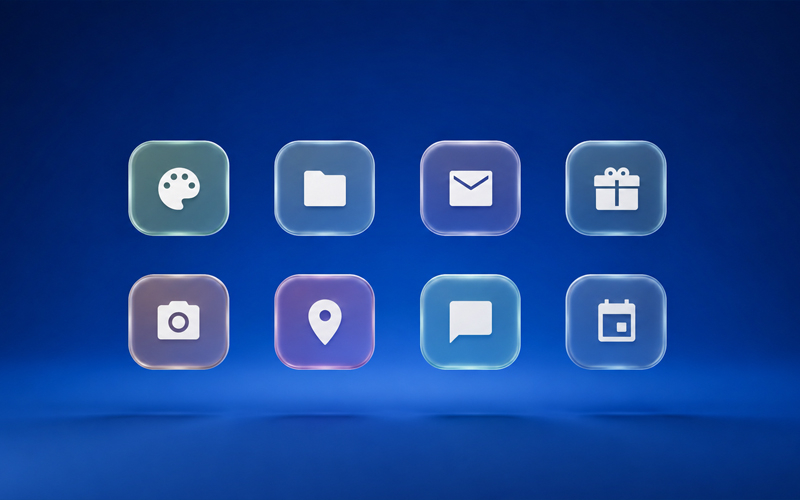
A smartphone home-screen style trainer: colourful app icons sit in a grid, you memorize their layout, then spot the single misplaced shortcut and drag it home. The exercise builds visuospatial memory, attention to detail, and precise motor control — a solid brain warm-up or a regular online workout on Mozgotren.com.
What the Desktop trainer develops
Like other trainers on the platform, Desktop targets several cognitive skills at once rather than a single repetitive tap.
Visual and spatial memory
You must hold a layout map in mind — which icon sits in which cell, what is left or right, how many rows are filled. That mirrors remembering real phone or launcher icon positions: a form of spatial recall often described in everyday language as a “photographic” memory of the screen.
Working memory
Between the study phase and the fix phase there is a brief blank interval: the grid must be recalled without cues. That trains holding a visual plan for a few seconds and comparing it with what you see now.
Attention and focus
Among similar colourful tiles it is easy to miss the one error. You scan the field, match positions, and ignore visual “noise” from neighbours — especially with five icons per row and more rows at higher levels.
Eye–hand coordination
The answer is not a button tap but drag-and-drop into the correct cell, adding motor accuracy to the cognitive load.
Short-term visual memory is engaged every round: each new icon set replaces the last, and the brain learns to build a whole-field image faster.
How to play
The board looks like a phone screen filled with shortcut tiles.
1. Memorize. The correct layout of all icons is shown. Study the positions, then press “I remember” when ready.
2. Short pause. The grid disappears briefly so you rely on memory, not on reading the board while it is still fully visible.
3. Find and fix. Icons return, but one is in the wrong slot. Find it and drag it back to where it belonged. Other tiles are dimmed; the misplaced one is highlighted (unless “No hint” is enabled).
Level (1–6) sets the number of rows: higher levels mean a taller grid and harder recall.
Icons per row — chosen before start: 3, 4, or 5 cells per row (default 3 with larger tiles).
No hint — harder mode: no highlight on the misplaced icon; any tile can be dragged; a mistake restores the scrambled layout and lowers the level.
A correct fix raises the level and starts a new round with fresh icons. A mistake lowers the level (not below 1) and lets you try again.
Scoring
Points for a correct answer:
Your total + DC × Level
DC is the difficulty coefficient from your settings (including “No hint” and icons per row), shown before you start.
Level increases after each correct answer and decreases after an error.
Points deducted for a wrong answer:
Your total − (DC × Level) / 2
Totals never go negative.
Multiplayer
Invite opponents and compare scores in real time: pick your settings and share the multiplayer link. The session starts when everyone is ready.
Track progress in your stats and on the Mozgotren.com leaderboard.